Designing a Virtual Gallery with ARTIVIVE – An Interactive Art Experience
PROJECT TYPE | Virtual Art Gallery
TIMELINE | January – July 2023
ROLE | UI Designer, Modeler, and Videomaker
TEAM | Pezhman Raeisian Parvari and four other colleagues
TOOLS | ARTIVIVE; Figma; Blender
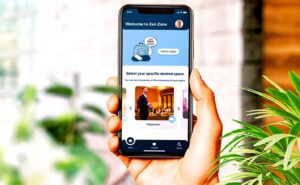
Creating virtual tours for different situations (indoors and outdoors).
OVERVIEW
In this project, the goal was to design a virtual gallery using augmented reality (AR) technology with ARTIVIVE. The focus was on creating an engaging and immersive art experience, allowing users to explore various artworks through interactive virtual tours, both indoors and outdoors. Each artwork was enhanced with videos, 2D, and 3D models to create an artistic and captivating scene, making the viewing experience unique and attractive for visitors. Users can access the gallery by installing the ARTIVIVE app and using the provided code to view the augmented photos.
CONCEPT GENERATION
The concept for this virtual gallery was to merge traditional art viewing with modern augmented reality technology to create an immersive and interactive experience. By utilizing ARTIVIVE, the project aimed to bring static artworks to life through the integration of videos, 2D, and 3D models.
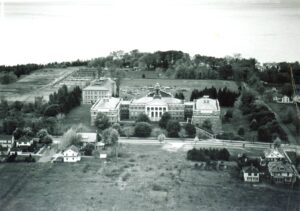
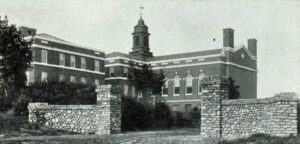
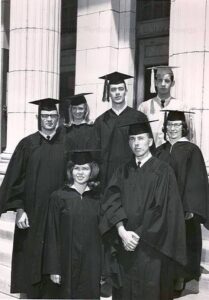
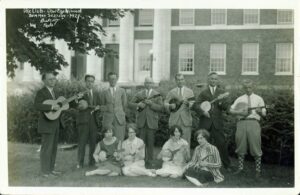
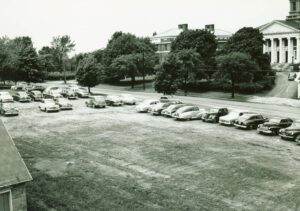
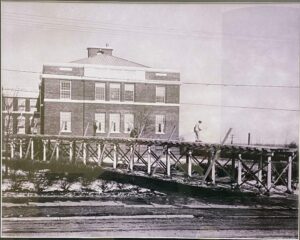
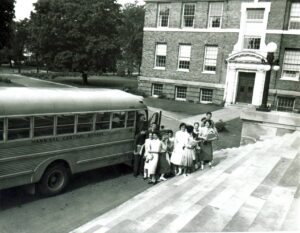
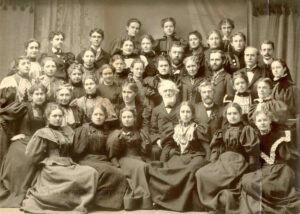
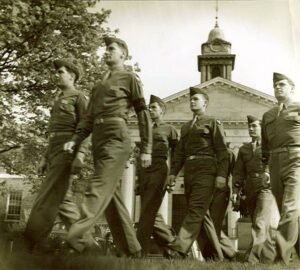
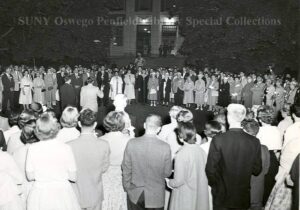
We used old photos of the SUNY Oswego campus, specifically those related to Sheldon Hall, and added virtual characters, live clips, various layers, text, and voiceovers. This approach was designed to enhance the user experience by making the content more clear and engaging. The combination of historical imagery with modern AR elements aimed to create a dynamic and appealing way to explore and interact with the campus’s rich history.
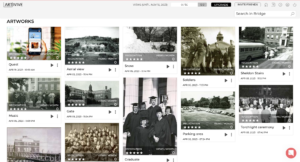
How to Experience the Virtual Gallery
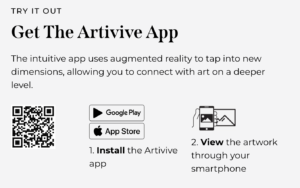
To view the augmented reality artwork in our virtual gallery, please follow these instructions:
Download the ARTIVIVE App:
Visit the App Store (for iOS) or Google Play Store (for Android) on your mobile device.
Search for the “ARTIVIVE” app and download it.
Open the ARTIVIVE App:
Launch the ARTIVIVE app on your device after installation.
Scan the Artwork:
Use the app’s built-in camera feature to scan the old photos related to the SUNY Oswego campus, especially those of Sheldon Hall.
Hold your device steady as the app recognizes the images and overlays the augmented reality content.
Experience the AR Content:
Watch as the scanned photos come to life with virtual characters, live clips, various layers, text, and voiceovers.
Enjoy the enhanced and engaging experience as you explore the rich history of the campus through augmented reality.

THINGS I LEARNED
Integration of AR Technology:
I learned how to effectively integrate augmented reality technology using ARTIVIVE to create an interactive and immersive art experience. This involved understanding the technical aspects of layering digital content over physical images.
Enhancing User Engagement:
By adding virtual characters, live clips, text, and voiceovers to old photos, I discovered ways to make historical content more engaging and accessible for users, significantly enhancing their viewing experience.
Creating Multi-layered Content:
The project taught me the importance of creating multi-layered content to provide depth and context, making the virtual gallery more informative and visually appealing.
Collaboration and Teamwork:
Working on this project highlighted the importance of collaboration and effective communication within a team to bring complex ideas to fruition.
User Experience Design:
I gained valuable experience in UX design, focusing on how users interact with augmented reality content and ensuring the experience is intuitive and enjoyable.
Historical Preservation:
The project underscored the value of preserving and presenting historical photos in a modern format, allowing a broader audience to appreciate the rich history of SUNY Oswego and Sheldon Hall.
Technical Skills:
I developed my technical skills in using tools such as ARTIVIVE, Figma, and Blender, which were essential in creating the virtual gallery and enhancing the overall user experience.
Advanced Software Proficiency:
I gained extensive experience working with Photoshop, Premiere Pro, After Effects, and Unity, using these tools to create and refine the 2D and 3D models, videos, and other digital elements for the project. This allowed me to enhance the visual and interactive aspects of the gallery significantly.